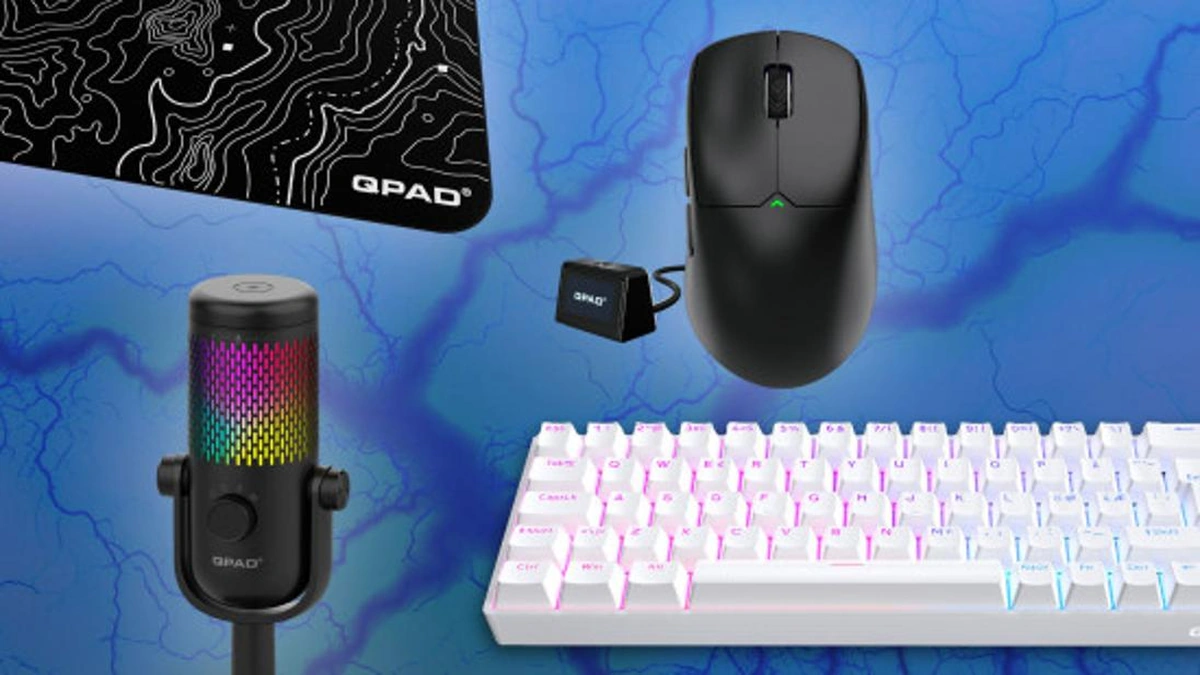
So, you’re serious about gaming, huh? You’ve probably got the latest graphics card, a blazing-fast processor, and maybe even a fancy RGB setup that would make a disco ball jealous. But here’s the thing – all that horsepower is wasted if you’re still using a basic keyboard and mouse. Think of it like this: you wouldn’t put cheap tires on a Ferrari, would you? That’s where gaming peripherals come in. But, let’s be honest, the world of gaming gear can be overwhelming. So many options, so many price points. Where do you even start?
I’m here to tell you why those seemingly small details – your mouse, keyboard, headset, and even your mousepad – can make a massive difference in your gameplay and overall enjoyment. We will explore how selecting the right gaming accessories for your setup can improve performance, comfort, and immersion.
Why Good Gaming Peripherals Aren’t Just a Flex
Okay, let’s get one thing straight. Gaming peripherals aren’t just about looking cool (although, let’s admit it, a backlit keyboard does look pretty sweet). The real benefits are deeper than aesthetics. It’s about enhancing your entire gaming experience in ways you might not even realize. What fascinates me is how much these tools improve reaction time. It’s like being in-sync with the game.
Improved Responsiveness: A gaming mouse with a high DPI (dots per inch) and polling rate translates to quicker and more precise movements on screen. A mechanical keyboard with faster actuation points means your keystrokes register faster. In competitive gaming, milliseconds matter. Think about it: a split-second advantage can be the difference between victory and defeat. This is especially true in fast-paced games like first-person shooters (FPS) or MOBAs (Multiplayer Online Battle Arenas).
Enhanced Comfort: Let’s be real, gaming sessions can last for hours. Using uncomfortable peripherals can lead to fatigue, strain, and even long-term injuries like carpal tunnel syndrome. Ergonomic designs, adjustable features, and comfortable materials can make a huge difference in your ability to play comfortably for extended periods. Trust me, your wrists will thank you.
Increased Immersion: A good gaming headset with surround sound can transport you right into the heart of the game. You can hear every footstep, every explosion, every subtle environmental cue, giving you a tactical advantage and making the game feel more realistic. And don’t underestimate the power of a good microphone for clear communication with your teammates.
Decoding the Specs: What to Look For
So, you’re sold on the idea of upgrading your peripherals. But now you’re faced with a mountain of technical jargon and confusing specifications. Don’t worry, I’m here to break it down for you.
Gaming Mouse: DPI (dots per inch) measures the mouse’s sensitivity. A higher DPI means the cursor moves further with less physical movement of the mouse. Polling rate (measured in Hz) indicates how often the mouse reports its position to the computer. A higher polling rate means less lag. Look for a mouse with adjustable DPI and a polling rate of at least 1000Hz. Also, consider the shape and size of the mouse to ensure it fits comfortably in your hand. Many gaming mice also come with programmable buttons, which can be useful for assigning macros or frequently used commands.
Mechanical Keyboard: Mechanical keyboards use individual mechanical switches for each key, providing a more tactile and responsive typing experience compared to membrane keyboards. Different types of switches have different actuation points (the point at which the key registers a keystroke) and different levels of tactile feedback and noise. Some popular switch types include Cherry MX Red (linear, quiet), Cherry MX Brown (tactile, moderate noise), and Cherry MX Blue (tactile, clicky). Choose a switch type that suits your personal preference and typing style. Pay attention to build quality, keycap material, and whether the keyboard has features like anti-ghosting and N-key rollover (which prevents keystrokes from being missed when multiple keys are pressed simultaneously).
Gaming Headset: Look for a headset with comfortable earcups, a clear microphone, and good sound quality. Surround sound (either virtual or true surround sound) can enhance immersion and provide a competitive advantage by allowing you to pinpoint the direction of sounds in the game. Consider whether you prefer a wired or wireless headset, and check the battery life of wireless models. Noise cancellation can be a useful feature for blocking out distractions.
Mousepad: Yes, even your mousepad matters! A good mousepad provides a smooth, consistent surface for your mouse to glide on. Look for a mousepad made of high-quality materials with a non-slip base. Consider the size of the mousepad based on your desk space and your preferred DPI setting. Some gamers prefer hard mousepads for faster gliding, while others prefer soft mousepads for more control.
Finding the Perfect Fit: Considering Your Games and Playstyle
Here’s the thing: there’s no one-size-fits-all solution when it comes to the best gaming peripherals. The ideal setup depends on the types of games you play and your individual playstyle. A first-person shooter (FPS) player might prioritize a high-DPI mouse and a keyboard with fast actuation, while a MOBA player might prefer a mouse with programmable buttons and a headset with clear communication capabilities. An interesting fact is that your style will evolve over time.
If you’re primarily a competitive gamer, prioritize responsiveness and precision. Look for peripherals with low latency, high polling rates, and adjustable settings that allow you to fine-tune your performance. If you’re more of a casual gamer, focus on comfort and immersion. Choose peripherals that feel good to use for extended periods and that enhance your enjoyment of the game world. If you are a streamer, you’ll want to find the best gaming microphones so your stream is always broadcasting high-quality audio.
Beyond the Basics: Exploring Advanced Features
Once you’ve got the basics covered, you can start exploring some of the more advanced features that gaming peripherals offer. Things like:
RGB Lighting: Okay, I know I said aesthetics aren’t everything, but let’s be honest, RGB lighting is pretty cool. Many gaming peripherals feature customizable RGB lighting that allows you to personalize the look of your setup. Some peripherals even allow you to synchronize the lighting effects across multiple devices.
Programmable Macros: Programmable macros allow you to assign complex sequences of actions to a single button. This can be incredibly useful in games that require repetitive tasks or complex combos. Look for peripherals with intuitive software that makes it easy to create and manage macros.
Onboard Memory: Some gaming peripherals have onboard memory that allows you to save your settings directly to the device. This means you can take your settings with you when you travel or use your peripherals on different computers without having to reconfigure them.
Investing in Your Passion: The Long-Term Value
Look, high-quality gaming peripherals aren’t cheap. But think of them as an investment in your passion. By upgrading your gear, you’re not just improving your gameplay – you’re enhancing your overall gaming experience. You’re making it more comfortable, more immersive, and more enjoyable. And that’s something that’s worth paying for.
So, before you dive headfirst into that next big game release, take a moment to consider your peripherals. Are they holding you back? Are they preventing you from reaching your full potential? If so, it might be time for an upgrade. Trust me, once you experience the difference that good gaming peripherals can make, you’ll never go back.
FAQ About Gaming Peripherals
What’s the difference between a gaming mouse and a regular mouse?
Gaming mice usually have higher DPI, polling rates, and programmable buttons for faster response and customization.
Are mechanical keyboards really better for gaming?
Many gamers prefer mechanical keyboards for their tactile feedback, faster actuation, and durability.
Do I need a gaming headset with surround sound?
Surround sound can enhance immersion and give you a competitive edge by improving your ability to pinpoint sounds in the game.
How important is a mousepad for gaming?
A good mousepad provides a smooth, consistent surface for your mouse, improving accuracy and control.
Can I use gaming peripherals for work or school?
Absolutely! Gaming peripherals can be just as useful for productivity tasks as they are for gaming.
The rabbit hole that is computer and console gaming can get as shallow or as deep as you like, just remember that the peripherals you choose matter, because they become an extension of your gameplay itself.